
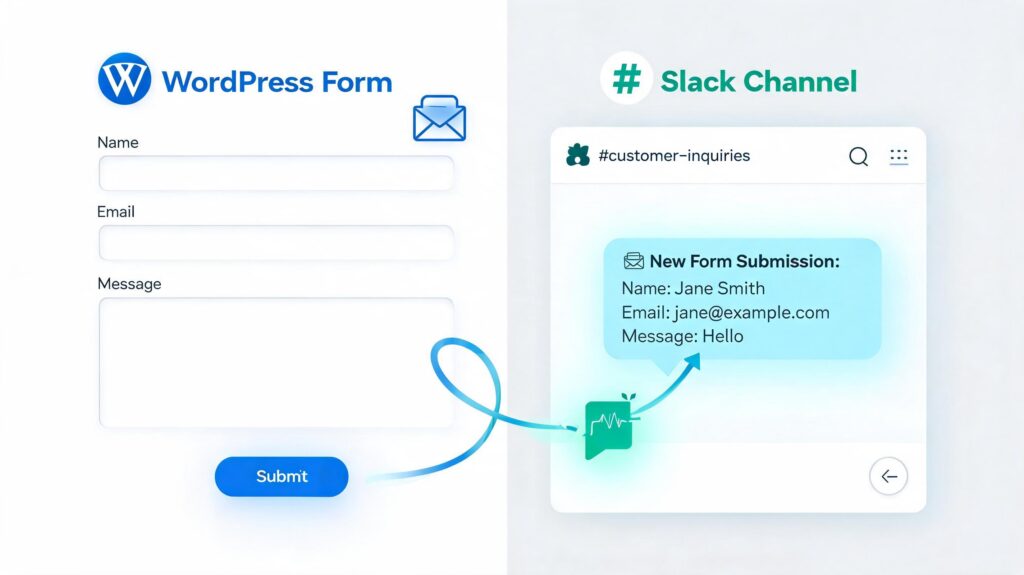
Learn how to automatically send WordPress form submissions to Slack using Incoming Webhooks, APIs, and automation tools. Discover the benefits, real-world use cases, security best practices, and why every business should integrate WordPress forms with Slack.
If your business relies on WordPress forms to collect leads, customer inquiries, support requests, job applications, or WooCommerce orders, responding quickly can make the difference between winning and losing a customer.
Most WordPress websites send form submissions via email. While email works, it has several drawbacks:
- Emails can get buried in crowded inboxes.
- Important notifications may be delayed.
- Multiple team members may miss new submissions.
- There is no centralized place for collaboration.
- Following up on urgent inquiries becomes difficult.
Slack solves these problems by turning every form submission into an instant notification delivered directly to your team’s communication channel.
Instead of waiting for someone to check email, your sales, support, HR, or marketing team receives real-time alerts in Slack, where they already collaborate every day.
For example, imagine a visitor submits a quote request through your website. Within seconds, a beautifully formatted message appears in your #sales-leads Slack channel, allowing your sales team to respond immediately. Faster responses often lead to higher conversion rates and a better customer experience.
This guide explores everything you need to know about sending WordPress form data to Slack, including how webhooks work, the benefits of automation, setup methods, security considerations, troubleshooting, and best practices.
Whether you use Contact Form 7, WPForms, Fluent Forms, Gravity Forms, Elementor Forms, or a custom-built form, you’ll learn how to integrate it with Slack efficiently.
What Is Slack?
Slack is a cloud-based team communication platform designed to simplify collaboration within organizations. It combines messaging, file sharing, voice and video calls, app integrations, and workflow automation into a single workspace.
Unlike traditional email, Slack organizes conversations into channels, making it easy to keep discussions focused and accessible.
For example, a company might create channels such as:
- #sales
- #support
- #marketing
- #development
- #human-resources
- #website-leads
- #client-projects
When a WordPress form sends data to Slack, the information appears instantly in the appropriate channel, ensuring the right team sees it without delay.
Key Features of Slack
Slack offers several features that make it an ideal destination for WordPress form notifications:
Channels
Channels organize conversations by topic, department, or project. Notifications from your website can be routed to different channels depending on the type of form submitted.
For example:
- Contact form → #general-inquiries
- Quote request → #sales
- Support ticket → #customer-support
- Job application → #recruitment
Direct Messages
Slack also allows private communication between team members, making it easy to discuss a form submission without cluttering public channels.
Threads
Threads keep conversations organized. Team members can discuss a specific lead or customer inquiry directly under the original notification.
File Sharing
Slack supports documents, PDFs, images, spreadsheets, and other files. If your form allows uploads, your integration can include links to those files in the Slack message.
Search
Every notification becomes searchable, making it easy to find past submissions without digging through email archives.
Mobile Notifications
Slack apps for iOS and Android ensure your team receives notifications wherever they are.
Integrations
Slack integrates with thousands of tools, including:
- WordPress
- Google Drive
- GitHub
- Jira
- Trello
- Zoom
- Salesforce
- HubSpot
- Asana
Why Send WordPress Form Data to Slack?
Email notifications have been the standard for years, but modern businesses need faster and more collaborative workflows.
Sending form data to Slack offers several advantages:
Instant Notifications
Slack delivers messages in real time. As soon as a visitor submits a form, your team is notified immediately.
This eliminates delays caused by infrequently checked inboxes.
Improved Team Collaboration
Instead of forwarding emails between departments, everyone involved can discuss the submission in a dedicated Slack thread.
For example:
- Sales can qualify a lead.
- Marketing can analyze campaign performance.
- Support can assign a ticket.
- HR can review applications.
All communication stays in one place.
Faster Response Time
Research consistently shows that responding to leads quickly increases the chances of converting them into customers.
Slack helps teams respond within minutes instead of hours.
Reduced Email Overload
Many businesses receive hundreds of emails every day.
Slack notifications reduce inbox clutter while ensuring important submissions remain visible.
Centralized Communication
All website activity can be monitored from a single Slack workspace.
This includes:
- Contact forms
- WooCommerce orders
- Booking requests
- Membership registrations
- Security alerts
- Website monitoring
How WordPress and Slack Work Together
Visitor
│
▼
WordPress Form
│
▼
Form Submission
│
▼
Webhook Request
│
▼
Slack Incoming Webhook
│
▼
Slack Channel
│
▼
Team Receives Notification
When the visitor clicks Submit, WordPress collects the form data and sends it as a secure HTTP request to Slack using an Incoming Webhook. Slack processes the request and posts a formatted message to the selected channel in seconds.
What Is a Webhook?
A webhook is a mechanism that allows one application to send data to another application automatically when a specific event occurs.
Unlike traditional APIs, where one application repeatedly asks another for updates, webhooks work on an event-driven model. As soon as something happens—such as a form submission—the source application immediately sends the data to the destination.
Think of a webhook as a digital courier. Instead of waiting for someone to check a mailbox, the courier delivers the package instantly when it’s ready.
In the context of WordPress and Slack, the workflow looks like this:
- A visitor submits a form on your WordPress website.
- The form plugin gathers the submitted data.
- WordPress sends that data as a JSON payload to a unique Slack Incoming Webhook URL.
- Slack verifies the request and posts the message to the configured channel.
- Your team receives the notification in real time on desktop and mobile devices.
This event-driven approach is fast, efficient, and doesn’t require continuous polling, making it ideal for real-time notifications.
Why Use Webhooks Instead of Email?
While email notifications are common, webhooks offer several advantages:
| Email Notifications | Slack Webhooks |
|---|---|
| Can be delayed | Instant delivery |
| Messages get buried in inboxes | Notifications appear in dedicated channels |
| Difficult to collaborate | Team can discuss in threads |
| Limited formatting | Rich formatting with Block Kit |
| Hard to automate | Easy to integrate with workflows |
Step 1: Create a Slack Workspace
If you already have a Slack workspace, you can skip this step.
A Slack workspace acts as the central location where your team communicates. Every channel, message, and integration belongs to a workspace.
For example, your workspace may contain channels such as:
#general
#sales
#support
#marketing
#development
#website-leads
#orders
For WordPress notifications, it’s a good idea to create dedicated channels instead of sending everything to #general.
Example channels:
#contact-form
#new-leads
#quote-requests
#customer-support
#job-applications
#woocommerce-orders
Keeping notifications organized makes them easier to manage.
Step 2: Create a Dedicated Slack Channel
Rather than mixing website notifications with daily conversations, create a dedicated channel.
Examples include:
#website-leadsor
#support-requestsor
#sales-alertsThis helps your team quickly identify new submissions without distractions.
Step 3: Create a Slack App
Slack integrations use Slack Apps.
Navigate to the Slack API dashboard and create a new app for your workspace.
Choose a descriptive name, such as:
WordPress Notificationsor
Website Formsor
Contact Form AlertsThis app will be responsible for sending messages into your selected Slack channel.
Step 4: Enable Incoming Webhooks
Inside your Slack App settings:
- Open Incoming Webhooks.
- Enable Incoming Webhooks.
- Click Add New Webhook.
- Select the Slack channel where notifications should appear.
- Authorize the app.
Slack will generate a unique webhook URL.
It typically looks like this:
https://hooks.slack.com/services/T00000000/B00000000/XXXXXXXXXXXXXXXXXXXXXXXXThis URL is the destination where WordPress sends form data.
Important: Treat this URL like a password. Anyone with access to it can post messages to your Slack channel.
{
    "text": "New Contact Form Submission"
}
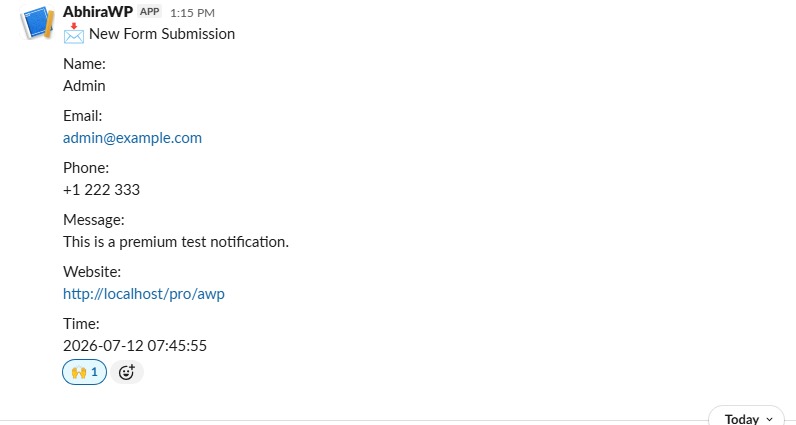
Sending Your First Slack Notification with PHP
<?php
/**
 * Plugin Name: Abhira Slack Notifications
 * Plugin URI: https://example.com/abhira-slack-notifications
 * Description: Send form submissions from supported WordPress forms to Slack using  a universal Incoming Webhook.
 * Version: 1.0.0
 * Author: Abhira
 * Author URI: https://abhirawp.com
 * Text Domain: abhira-slack-notifications
 * License: GPL-2.0-or-later
 * Requires at least: 6.0
 * Tested up to: 6.6
 *
 * @package AbhiraSlackNotifications
 */

if ( ! defined( 'ABSPATH' ) ) {
	exit;
}

final class Abhira_Slack_Notifications {

	private static $instance = null;

	private $option_name = 'abhira_slack_notifications_settings';

	private $default_settings = array(
		'enabled'      => 0,
		'webhook_url'  => '',
		'channel'      => '#general',
	);

	public static function instance() {
		if ( null === self::$instance ) {
			self::$instance = new self();
		}

		return self::$instance;
	}

	private function __construct() {
		add_action( 'admin_menu', array( $this, 'register_admin_page' ) );
		add_action( 'admin_init', array( $this, 'register_settings' ) );
		add_action( 'admin_notices', array( $this, 'render_admin_notice' ) );
		add_action( 'admin_post_abhira_slack_test_connection', array( $this, 'handle_test_connection' ) );
		add_filter( 'plugin_action_links_' . plugin_basename( __FILE__ ), array( $this, 'add_plugin_action_links' ) );

		$this->hook_form_integrations();
	}

	public function register_admin_page() {
		add_options_page(
			__( 'Abhira Slack Notifications', 'abhira-slack-notifications' ),
			__( 'Abhira Slack Notifications', 'abhira-slack-notifications' ),
			'manage_options',
			'abhira-slack-notifications',
			array( $this, 'render_settings_page' )
		);
	}

	public function register_settings() {
		register_setting(
			'abhira_slack_notifications',
			$this->option_name,
			array(
				'sanitize_callback' => array( $this, 'sanitize_settings' ),
			)
		);
	}

	public function sanitize_settings( $input ) {
		$input = is_array( $input ) ? $input : array();

		$settings = array(
			'enabled'     => ! empty( $input['enabled'] ) ? 1 : 0,
			'webhook_url' => ! empty( $input['webhook_url'] ) ? esc_url_raw( wp_unslash( $input['webhook_url'] ) ) : '',
			'channel'     => ! empty( $input['channel'] ) ? sanitize_text_field( wp_unslash( $input['channel'] ) ) : '#general',
		);

		return $settings;
	}

	public function add_plugin_action_links( $links ) {
		$settings_link = '<a href="' . esc_url( admin_url( 'options-general.php?page=abhira-slack-notifications' ) ) . '">' . __( 'Settings', 'abhira-slack-notifications' ) . '</a>';
		array_unshift( $links, $settings_link );

		return $links;
	}

	public function render_settings_page() {
		if ( ! current_user_can( 'manage_options' ) ) {
			return;
		}

		$settings = $this->get_settings();
		?>
		<div class="wrap">
			<h1><?php esc_html_e( 'Abhira Slack Notifications', 'abhira-slack-notifications' ); ?></h1>
			<p><?php esc_html_e( 'Configure a universal Slack Incoming Webhook and forward selected form submissions to your channel.', 'abhira-slack-notifications' ); ?></p>

			<form method="post" action="options.php">
				<?php settings_fields( 'abhira_slack_notifications' ); ?>
				<table class="form-table" role="presentation">
					<tbody>
						<tr>
							<th scope="row">
								<label for="abhira_slack_webhook_url"><?php esc_html_e( 'Slack Incoming Webhook URL', 'abhira-slack-notifications' ); ?></label>
							</th>
							<td>
								<input type="url" id="abhira_slack_webhook_url" class="regular-text" name="<?php echo esc_attr( $this->option_name ); ?>[webhook_url]" value="<?php echo esc_attr( $settings['webhook_url'] ); ?>" placeholder="https://hooks.slack.com/services/..." required>
								<p class="description"><?php esc_html_e( 'Paste your Slack Incoming Webhook URL here.', 'abhira-slack-notifications' ); ?></p>
							</td>
						</tr>
						<tr>
							<th scope="row">
								<label for="abhira_slack_channel"><?php esc_html_e( 'Slack Channel', 'abhira-slack-notifications' ); ?></label>
							</th>
							<td>
								<input type="text" id="abhira_slack_channel" class="regular-text" name="<?php echo esc_attr( $this->option_name ); ?>[channel]" value="<?php echo esc_attr( $settings['channel'] ); ?>" placeholder="#general">
								<p class="description"><?php esc_html_e( 'Enter the channel name, such as #support or #alerts.', 'abhira-slack-notifications' ); ?></p>
							</td>
						</tr>
						<tr>
							<th scope="row"><?php esc_html_e( 'Enable Notifications', 'abhira-slack-notifications' ); ?></th>
							<td>
								<label>
									<input type="checkbox" name="<?php echo esc_attr( $this->option_name ); ?>[enabled]" value="1" <?php checked( 1, $settings['enabled'] ); ?>>
									<?php esc_html_e( 'Send form submission notifications to Slack', 'abhira-slack-notifications' ); ?>
								</label>
							</td>
						</tr>
					</tbody>
				</table>
				<?php submit_button( __( 'Save Settings', 'abhira-slack-notifications' ) ); ?>
			</form>

			<form method="post" action="<?php echo esc_url( admin_url( 'admin-post.php' ) ); ?>">
				<?php wp_nonce_field( 'abhira_slack_test_connection' ); ?>
				<input type="hidden" name="action" value="abhira_slack_test_connection">
				<p class="submit">
					<button type="submit" class="button button-secondary">
						<?php esc_html_e( 'Test Connection', 'abhira-slack-notifications' ); ?>
					</button>
				</p>
			</form>

			<div class="notice inline">
				<p><strong><?php esc_html_e( 'Supported Forms', 'abhira-slack-notifications' ); ?></strong></p>
				<p><?php esc_html_e( 'Contact Form 7, WPForms Lite, Fluent Forms, Gravity Forms, Formidable Forms, Elementor Forms, and Ninja Forms.', 'abhira-slack-notifications' ); ?></p>
			</div>
		</div>
		<?php
	}

	public function render_admin_notice() {
		if ( ! isset( $_GET['abhira_notice'] ) ) {
			return;
		}

		$notice = sanitize_text_field( wp_unslash( $_GET['abhira_notice'] ) );
		if ( 'success' === $notice ) {
			printf(
				'<div class="notice notice-success is-dismissible"><p>%s</p></div>',
				esc_html__( 'Slack test message sent successfully.', 'abhira-slack-notifications' )
			);
		} elseif ( 'error' === $notice ) {
			printf(
				'<div class="notice notice-error is-dismissible"><p>%s</p></div>',
				esc_html__( 'Slack test message could not be sent. Please verify the webhook URL and channel.', 'abhira-slack-notifications' )
			);
		}
	}

	public function handle_test_connection() {
		if ( ! current_user_can( 'manage_options' ) ) {
			wp_die( esc_html__( 'You do not have permission to perform this action.', 'abhira-slack-notifications' ) );
		}

		check_admin_referer( 'abhira_slack_test_connection' );

		$settings = $this->get_settings();
		if ( empty( $settings['webhook_url'] ) ) {
			wp_safe_redirect( admin_url( 'options-general.php?page=abhira-slack-notifications&abhira_notice=error' ) );
			exit;
		}

		$payload = array(
			'text'    => __( 'Abhira Slack Notifications test message sent successfully.', 'abhira-slack-notifications' ),
			'channel' => ! empty( $settings['channel'] ) ? $settings['channel'] : '#general',
			'username' => 'Abhira Slack Notifications',
		);

		$response = $this->send_to_slack( $payload, $settings['webhook_url'] );
		if ( is_wp_error( $response ) ) {
			wp_safe_redirect( admin_url( 'options-general.php?page=abhira-slack-notifications&abhira_notice=error' ) );
			exit;
		}

		$status_code = wp_remote_retrieve_response_code( $response );
		if ( 200 !== $status_code && 204 !== $status_code ) {
			wp_safe_redirect( admin_url( 'options-general.php?page=abhira-slack-notifications&abhira_notice=error' ) );
			exit;
		}

		wp_safe_redirect( admin_url( 'options-general.php?page=abhira-slack-notifications&abhira_notice=success' ) );
		exit;
	}

	private function hook_form_integrations() {
		if ( class_exists( 'WPCF7_ContactForm' ) ) {
			add_action( 'wpcf7_mail_sent', array( $this, 'handle_cf7_submission' ) );
		}

		if ( function_exists( 'wpforms' ) ) {
			add_action( 'wpforms_process_complete', array( $this, 'handle_wpforms_submission' ), 10, 3 );
		}

		if ( class_exists( 'FluentForm' ) ) {
			add_action( 'fluentform_submission_created', array( $this, 'handle_fluent_forms_submission' ), 10, 3 );
		}

		if ( class_exists( 'GFForms' ) ) {
			add_action( 'gform_after_submission', array( $this, 'handle_gravity_forms_submission' ), 10, 2 );
		}

		if ( class_exists( 'FrmForm' ) ) {
			add_action( 'frm_after_create_entry', array( $this, 'handle_formidable_submission' ), 10, 3 );
		}

		if ( class_exists( 'ElementorPro\\Plugin' ) ) {
			add_action( 'elementor_pro/forms/new_record', array( $this, 'handle_elementor_submission' ), 10, 2 );
		}

		if ( class_exists( 'Ninja_Forms' ) ) {
			add_action( 'ninja_forms_after_submission', array( $this, 'handle_ninja_forms_submission' ), 10, 1 );
		}
	}

	public function handle_cf7_submission( $contact_form ) {
		$submission = WPCF7_Submission::get_instance();
		if ( ! $submission ) {
			return;
		}

		$posted_data = $submission->get_posted_data();
		$this->notify_slack( 'Contact Form 7', $posted_data );
	}

	public function handle_wpforms_submission( $fields, $entry, $form_data ) {
		$this->notify_slack( 'WPForms Lite', $fields );
	}

	public function handle_fluent_forms_submission( $entry, $form, $form_data = array() ) {
		$this->notify_slack( 'Fluent Forms', $entry );
	}

	public function handle_gravity_forms_submission( $entry, $form ) {
		$this->notify_slack( 'Gravity Forms', $entry );
	}

	public function handle_formidable_submission( $entry_id, $form_id, $entry ) {
		$this->notify_slack( 'Formidable Forms', $entry );
	}

	public function handle_elementor_submission( $record, $handler ) {
		$this->notify_slack( 'Elementor Forms', $record );
	}

	public function handle_ninja_forms_submission( $form_data = array() ) {
		$this->notify_slack( 'Ninja Forms', $form_data );
	}

	private function notify_slack( $source, $data ) {
		$settings = $this->get_settings();
		if ( empty( $settings['enabled'] ) || empty( $settings['webhook_url'] ) ) {
			return;
		}

		$payload = array(
			'text'     => $this->build_message( $source, $data ),
			'username' => 'Abhira Slack Notifications',
		);

		if ( ! empty( $settings['channel'] ) ) {
			$payload['channel'] = $settings['channel'];
		}

		$response = $this->send_to_slack( $payload, $settings['webhook_url'] );
		if ( is_wp_error( $response ) ) {
			error_log( 'Abhira Slack Notifications error: ' . $response->get_error_message() );
		}
	}

	private function build_message( $source, $data ) {
		$lines = array(
			sprintf( __( 'New form submission received from %s.', 'abhira-slack-notifications' ), $source ),
		);

		if ( is_array( $data ) ) {
			foreach ( $data as $key => $value ) {
				if ( is_array( $value ) ) {
					$value = wp_json_encode( $value );
				}

				$lines[] = sprintf( '%s: %s', sanitize_text_field( $key ), sanitize_text_field( wp_strip_all_tags( (string) $value ) ) );
			}
		} else {
			$lines[] = sprintf( 'Payload: %s', wp_strip_all_tags( (string) $data ) );
		}

		return implode( "\n", $lines );
	}

	private function send_to_slack( $payload, $webhook_url ) {
		return wp_remote_post(
			$webhook_url,
			array(
				'body'        => wp_json_encode( $payload ),
				'headers'     => array( 'Content-Type' => 'application/json' ),
				'timeout'     => 15,
				'blocking'    => true,
				'sslverify'   => true,
			)
		);
	}

	private function get_settings() {
		$options = get_option( $this->option_name, array() );
		return wp_parse_args( $options, $this->default_settings );
	}
}

Abhira_Slack_Notifications::instance();
