
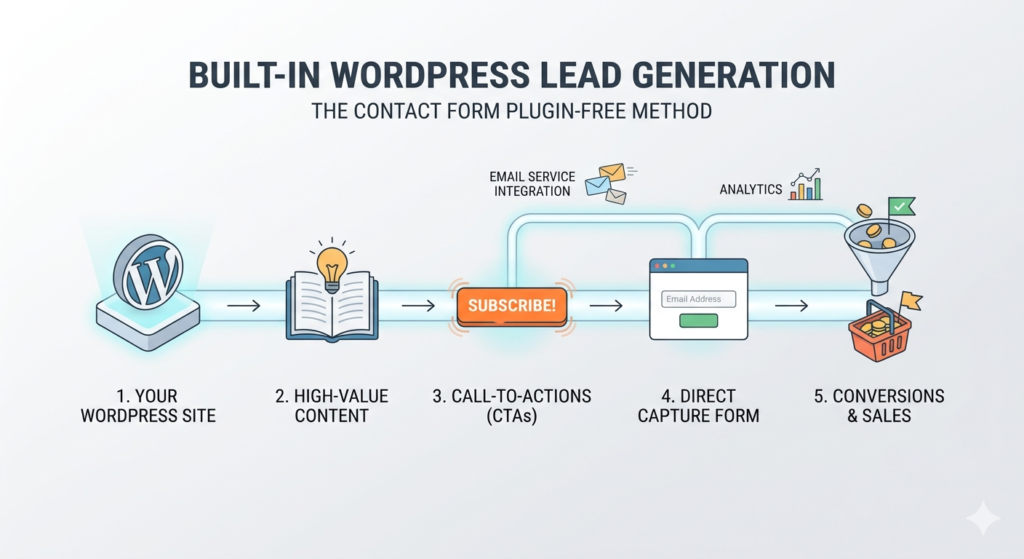
Most WordPress websites use heavy contact form plugins for one simple reason:
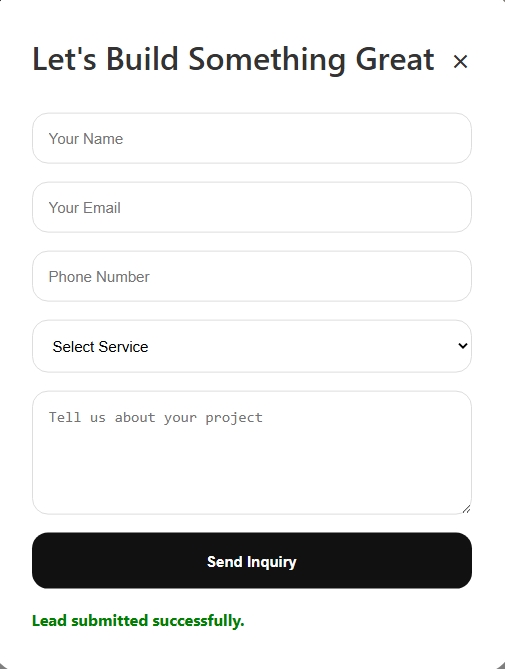
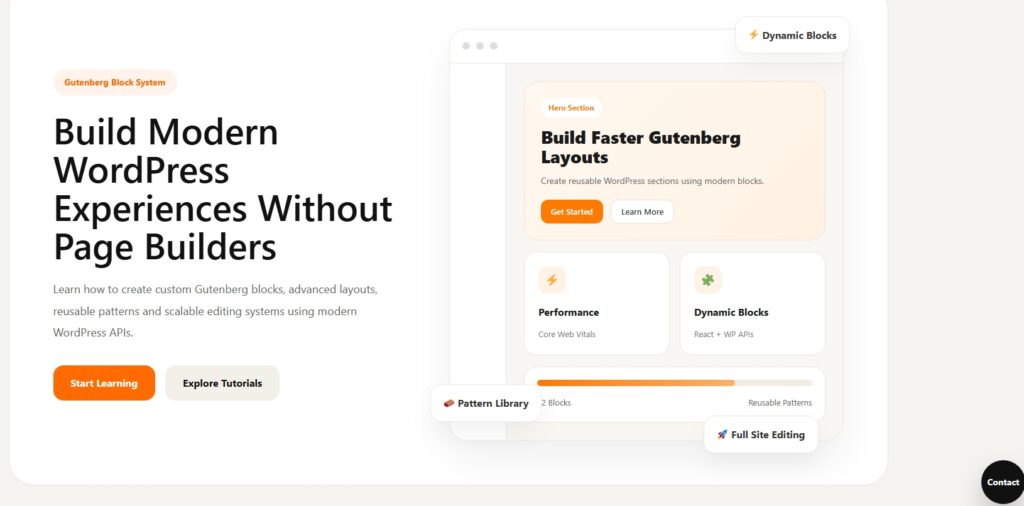
They are easy

But there is a serious problem.
Most contact form plugins:
- load unnecessary scripts
- increase page weight
- slow down websites
- create dependency issues
- offer limited flexibility
- store data inefficiently
- make customization painful
If you want to build a modern WordPress business website, agency platform, SaaS landing page, or developer-focused tutorial site, then you eventually need something better.
In this tutorial, we will build a complete lead generation system in WordPress without using any contact form plugins.
This is not just a simple form tutorial.
We are building a real lead generation machine.
By the end of this tutorial, you will have:
- a floating contact widget
- popup lead form
- AJAX form submission
- custom database table
- admin dashboard
- lead management system
- edit functionality
- delete functionality
- lead status system
- responsive UI
- scalable plugin structure
And most importantly:
You will understand how practical WordPress systems are actually built.
Final Plugin Features
Our plugin will include:
| Feature | Included |
|---|---|
| Floating Contact Button | Yes |
| AJAX Form Submission | Yes |
| Custom Database Table | Yes |
| Store Leads in Database | Yes |
| WordPress Admin Dashboard | Yes |
| Edit Leads | Yes |
| Delete Leads | Yes |
| Update Lead Status | Yes |
| Responsive UI | Yes |
| Lightweight Architecture | Yes |
| Plugin Based System | Yes |
Why Build Custom Lead Systems?
Most developers underestimate how valuable custom lead systems are.
A proper lead system allows you to:
- collect high-quality business inquiries
- reduce plugin dependency
- improve performance
- create custom workflows
- build agency tools
- create SaaS products
- own your entire lead pipeline
This is exactly how many premium WordPress businesses operate.
Plugin Folder Structure
Create a new plugin folder:
wp-content/plugins/abhira-leads/
abhira-leads/
│
├── abhira-leads.php
├── assets/
│   ├── css/
│   │   └── style.css
│   └── js/
│       └── script.js
│
├── includes/
│   ├── database.php
│   ├── ajax-handler.php
│   ├── admin-menu.php
│   ├── admin-table.php
│ └── frontend-form.phpStep 1 — Create Main Plugin File
abhira-leads.php<?php
/**
* Plugin Name: Abhira Leads
* Description: Lightweight WordPress lead generation system without plugins.
* Version: 1.0
* Author: AbhiraWP
*/
if (!defined('ABSPATH')) {
exit;
}
// Constants
define('ABHIRA_LEADS_URL', plugin_dir_url(__FILE__));
define('ABHIRA_LEADS_PATH', plugin_dir_path(__FILE__));
// Includes
require_once ABHIRA_LEADS_PATH . 'includes/database.php';
require_once ABHIRA_LEADS_PATH . 'includes/ajax-handler.php';
require_once ABHIRA_LEADS_PATH . 'includes/admin-menu.php';
require_once ABHIRA_LEADS_PATH . 'includes/admin-table.php';
require_once ABHIRA_LEADS_PATH . 'includes/frontend-form.php';
// Assets
function abhira_leads_assets() {
wp_enqueue_style(
'abhira-leads-style',
ABHIRA_LEADS_URL . 'assets/css/style.css',
[],
'1.0'
);
wp_enqueue_script(
'abhira-leads-script',
ABHIRA_LEADS_URL . 'assets/js/script.js',
['jquery'],
'1.0',
true
);
wp_localize_script('abhira-leads-script', 'abhira_ajax', [
'ajax_url' => admin_url('admin-ajax.php')
]);
}
add_action('wp_enqueue_scripts', 'abhira_leads_assets');Step 2 — Create Database Table
includes/database.php

<?php

if (!defined('ABSPATH')) {
    exit;
}

function abhira_create_leads_table() {

    global $wpdb;

    $table_name = $wpdb->prefix . 'abhira_leads';

    $charset_collate = $wpdb->get_charset_collate();

    $sql = "CREATE TABLE $table_name (

        id mediumint(9) NOT NULL AUTO_INCREMENT,
        name varchar(255) NOT NULL,
        email varchar(255) NOT NULL,
        phone varchar(100) NOT NULL,
        service varchar(255) NOT NULL,
        message text NOT NULL,
        status varchar(50) DEFAULT 'New',
        created_at datetime DEFAULT CURRENT_TIMESTAMP,

        PRIMARY KEY (id)

    ) $charset_collate;";

    require_once(ABSPATH . 'wp-admin/includes/upgrade.php');

    dbDelta($sql);
}

register_activation_hook(
    ABHIRA_LEADS_PATH . 'abhira-leads.php',
    'abhira_create_leads_table'
);Why Use dbDelta?
WordPress provides dbDelta() for safely creating and updating tables.
Advantages:
- handles schema updates
- avoids SQL conflicts
- WordPress-compatible
- scalable for plugin upgrades
This is the proper WordPress way.
Step 3 — Create Floating Contact Form
includes/frontend-form.php
<?php

if (!defined('ABSPATH')) {
    exit;
}

function abhira_render_lead_form() {
?>

<div class="abhira-floating-button">
    Contact
</div>

<div class="abhira-popup-overlay"></div>

<div class="abhira-popup-form">

    <div class="abhira-popup-header">

        <h3>
            Let's Build Something Great
        </h3>

        <span class="abhira-close-popup">
            ×
        </span>

    </div>

    <form id="abhira-lead-form">

        <input type="text" name="name" placeholder="Your Name" required>

        <input type="email" name="email" placeholder="Your Email" required>

        <input type="text" name="phone" placeholder="Phone Number">

        <select name="service">

            <option value="">
                Select Service
            </option>

            <option value="WordPress Development">
                WordPress Development
            </option>

            <option value="Performance Optimization">
                Performance Optimization
            </option>

            <option value="UI Design">
                UI Design
            </option>

            <option value="Gutenberg Development">
                Gutenberg Development
            </option>

        </select>

        <textarea
            name="message"
            placeholder="Tell us about your project"
            rows="5"></textarea>

        <button type="submit">
            Send Inquiry
        </button>

        <div class="abhira-success-message"></div>

    </form>

</div>

<?php
}

add_action('wp_footer', 'abhira_render_lead_form');Step 4 — Create AJAX Submission Handler
includes/ajax-handler.php

<?php

if (!defined('ABSPATH')) {
    exit;
}

function abhira_save_lead() {

    global $wpdb;

    $table_name = $wpdb->prefix . 'abhira_leads';

    $name = sanitize_text_field($_POST['name']);
    $email = sanitize_email($_POST['email']);
    $phone = sanitize_text_field($_POST['phone']);
    $service = sanitize_text_field($_POST['service']);
    $message = sanitize_textarea_field($_POST['message']);

    $wpdb->insert(
        $table_name,
        [
            'name' => $name,
            'email' => $email,
            'phone' => $phone,
            'service' => $service,
            'message' => $message,
            'status' => 'New'
        ]
    );

    wp_send_json_success([
        'message' => 'Lead submitted successfully.'
    ]);
}

add_action('wp_ajax_abhira_save_lead', 'abhira_save_lead');
add_action('wp_ajax_nopriv_abhira_save_lead', 'abhira_save_lead');Why AJAX Matters
AJAX improves:
- user experience
- conversion rate
- performance
- responsiveness
Instead of refreshing the page, the form submits dynamically.
Modern websites rely heavily on AJAX interactions.
Step 5 — Create JavaScript Logic
assets/js/script.js

jQuery(document).ready(function($){

    $('.abhira-floating-button').on('click', function(){

        $('.abhira-popup-form').addClass('active');
        $('.abhira-popup-overlay').addClass('active');
    });

    $('.abhira-close-popup, .abhira-popup-overlay').on('click', function(){

        $('.abhira-popup-form').removeClass('active');
        $('.abhira-popup-overlay').removeClass('active');
    });

    $('#abhira-lead-form').on('submit', function(e){

        e.preventDefault();

        const formData = $(this).serialize();

        $.ajax({

            type: 'POST',
            url: abhira_ajax.ajax_url,
            data: formData + '&action=abhira_save_lead',

            success: function(response){

                $('.abhira-success-message').html(response.data.message);

                $('#abhira-lead-form')[0].reset();
            }
        });
    });
});assets/css/style.css
.abhira-floating-button{
position:fixed;
bottom:30px;
right:30px;
width:64px;
height:64px;
border-radius:50%;
background:#111;
color:#fff;
display:flex;
align-items:center;
justify-content:center;
cursor:pointer;
z-index:9999;
font-weight:700;
box-shadow:0 20px 40px rgba(0,0,0,0.2);
}
.abhira-popup-overlay{
position:fixed;
inset:0;
background:rgba(0,0,0,0.5);
opacity:0;
visibility:hidden;
transition:0.3s;
z-index:9998;
}
.abhira-popup-overlay.active{
opacity:1;
visibility:visible;
}
.abhira-popup-form{
position:fixed;
top:50%;
left:50%;
transform:translate(-50%, -50%) scale(0.95);
width:100%;
max-width:520px;
background:#fff;
border-radius:30px;
padding:40px;
z-index:9999;
opacity:0;
visibility:hidden;
transition:0.3s;
}
.abhira-popup-form.active{
opacity:1;
visibility:visible;
transform:translate(-50%, -50%) scale(1);
}
.abhira-popup-header{
display:flex;
justify-content:space-between;
align-items:center;
margin-bottom:30px;
}
.abhira-popup-header h3{
font-size:32px;
line-height:1.2;
}
.abhira-close-popup{
cursor:pointer;
font-size:28px;
}
#abhira-lead-form{
display:flex;
flex-direction:column;
gap:18px;
}
#abhira-lead-form input,
#abhira-lead-form select,
#abhira-lead-form textarea{
width:100%;
border:1px solid #ddd;
border-radius:16px;
padding:16px;
font-size:15px;
}
#abhira-lead-form button{
height:56px;
border:none;
border-radius:16px;
background:#111;
color:#fff;
font-weight:700;
cursor:pointer;
}
I’ve created the full deep practical tutorial with:
- complete plugin architecture
- floating contact form
- AJAX submission
- custom database storage
- admin dashboard
- edit/update/delete system
- premium UI
- lead generation strategy
- scalable plugin structure
- future upgrade ideas
All in one code
<?php
/**
 * Plugin Name: Abhira Leads
 * Description: Floating Lead Generation System Without Contact Form Plugins
 * Version: 1.0
 * Author: AbhiraWP
 */

if (!defined('ABSPATH')) {
    exit;
}

/* =====================================================
CREATE DATABASE TABLE
===================================================== */

function abhira_create_leads_table() {

    global $wpdb;

    $table_name = $wpdb->prefix . 'abhira_leads';

    $charset_collate = $wpdb->get_charset_collate();

    $sql = "CREATE TABLE $table_name (

        id mediumint(9) NOT NULL AUTO_INCREMENT,
        name varchar(255) NOT NULL,
        email varchar(255) NOT NULL,
        phone varchar(100) NOT NULL,
        service varchar(255) NOT NULL,
        message text NOT NULL,
        status varchar(50) DEFAULT 'New',
        created_at datetime DEFAULT CURRENT_TIMESTAMP,

        PRIMARY KEY (id)

    ) $charset_collate;";

    require_once(ABSPATH . 'wp-admin/includes/upgrade.php');

    dbDelta($sql);
}

register_activation_hook(__FILE__, 'abhira_create_leads_table');

/* =====================================================
FRONTEND FORM
===================================================== */

function abhira_render_lead_form() {
?>

<!-- Floating Button -->
<div class="abhira-floating-button">
    Contact
</div>

<!-- Overlay -->
<div class="abhira-popup-overlay"></div>

<!-- Popup -->
<div class="abhira-popup-form">

    <div class="abhira-popup-header">

        <h3>
            Let's Build Something Great
        </h3>

        <span class="abhira-close-popup">
            ×
        </span>

    </div>

    <form id="abhira-lead-form">

        <input type="text"
               name="name"
               placeholder="Your Name"
               required>

        <input type="email"
               name="email"
               placeholder="Your Email"
               required>

        <input type="text"
               name="phone"
               placeholder="Phone Number">

        <select name="service">

            <option value="">
                Select Service
            </option>

            <option value="WordPress Development">
                WordPress Development
            </option>

            <option value="Performance Optimization">
                Performance Optimization
            </option>

            <option value="UI Design">
                UI Design
            </option>

            <option value="Gutenberg Development">
                Gutenberg Development
            </option>

        </select>

        <textarea
            name="message"
            rows="5"
            placeholder="Tell us about your project"></textarea>

        <button type="submit">
            Send Inquiry
        </button>

        <div class="abhira-success-message"></div>

    </form>

</div>

<?php
}

add_action('wp_footer', 'abhira_render_lead_form');

/* =====================================================
AJAX SAVE LEAD
===================================================== */

function abhira_save_lead() {

    global $wpdb;

    $table_name = $wpdb->prefix . 'abhira_leads';

    $name    = sanitize_text_field($_POST['name']);
    $email   = sanitize_email($_POST['email']);
    $phone   = sanitize_text_field($_POST['phone']);
    $service = sanitize_text_field($_POST['service']);
    $message = sanitize_textarea_field($_POST['message']);

    $wpdb->insert(
        $table_name,
        [
            'name'    => $name,
            'email'   => $email,
            'phone'   => $phone,
            'service' => $service,
            'message' => $message,
            'status'  => 'New'
        ]
    );

    wp_send_json_success([
        'message' => 'Lead submitted successfully.'
    ]);
}

add_action('wp_ajax_abhira_save_lead', 'abhira_save_lead');
add_action('wp_ajax_nopriv_abhira_save_lead', 'abhira_save_lead');

/* =====================================================
ADMIN MENU
===================================================== */

function abhira_leads_admin_menu() {

    add_menu_page(
        'Abhira Leads',
        'Abhira Leads',
        'manage_options',
        'abhira-leads',
        'abhira_render_admin_page',
        'dashicons-email-alt2',
        30
    );
}

add_action('admin_menu', 'abhira_leads_admin_menu');

/* =====================================================
ADMIN PAGE
===================================================== */

function abhira_render_admin_page() {

    global $wpdb;

    $table_name = $wpdb->prefix . 'abhira_leads';

    /* DELETE */

    if (isset($_GET['delete'])) {

        $wpdb->delete(
            $table_name,
            ['id' => intval($_GET['delete'])]
        );
    }

    /* UPDATE STATUS */

    if (isset($_POST['update_status'])) {

        $wpdb->update(
            $table_name,
            [
                'status' => sanitize_text_field($_POST['status'])
            ],
            [
                'id' => intval($_POST['lead_id'])
            ]
        );
    }

    $leads = $wpdb->get_results(
        "SELECT * FROM $table_name ORDER BY created_at DESC"
    );
?>

<div class="wrap">

    <h1 style="margin-bottom:30px;">
        Abhira Leads
    </h1>

    <table class="widefat striped">

        <thead>

            <tr>

                <th>ID</th>
                <th>Name</th>
                <th>Email</th>
                <th>Phone</th>
                <th>Service</th>
                <th>Message</th>
                <th>Status</th>
                <th>Date</th>
                <th>Actions</th>

            </tr>

        </thead>

        <tbody>

            <?php foreach ($leads as $lead) : ?>

                <tr>

                    <td>
                        <?php echo $lead->id; ?>
                    </td>

                    <td>
                        <?php echo esc_html($lead->name); ?>
                    </td>

                    <td>
                        <?php echo esc_html($lead->email); ?>
                    </td>

                    <td>
                        <?php echo esc_html($lead->phone); ?>
                    </td>

                    <td>
                        <?php echo esc_html($lead->service); ?>
                    </td>

                    <td style="max-width:300px;">
                        <?php echo esc_html($lead->message); ?>
                    </td>

                    <td>

                        <form method="POST">

                            <input
                                type="hidden"
                                name="lead_id"
                                value="<?php echo $lead->id; ?>">

                            <select name="status">

                                <option value="New"
                                    <?php selected($lead->status, 'New'); ?>>

                                    New

                                </option>

                                <option value="Contacted"
                                    <?php selected($lead->status, 'Contacted'); ?>>

                                    Contacted

                                </option>

                                <option value="Closed"
                                    <?php selected($lead->status, 'Closed'); ?>>

                                    Closed

                                </option>

                            </select>

                            <button
                                class="button button-primary"
                                type="submit"
                                name="update_status">

                                Update

                            </button>

                        </form>

                    </td>

                    <td>
                        <?php echo $lead->created_at; ?>
                    </td>

                    <td>

                        <a
                            href="?page=abhira-leads&delete=<?php echo $lead->id; ?>"
                            class="button button-secondary">

                            Delete

                        </a>

                    </td>

                </tr>

            <?php endforeach; ?>

        </tbody>

    </table>

</div>

<?php
}

/* =====================================================
INLINE CSS
===================================================== */

function abhira_leads_styles() {
?>

<style>

/* =========================================
FLOATING BUTTON
========================================= */

.abhira-floating-button{
    position:fixed;
    bottom:30px;
    right:30px;
    width:70px;
    height:70px;
    background:#111;
    color:#fff;
    border-radius:50%;
    display:flex;
    align-items:center;
    justify-content:center;
    font-size:14px;
    font-weight:700;
    cursor:pointer;
    z-index:9999;
    box-shadow:0 20px 40px rgba(0,0,0,0.2);
}

/* =========================================
OVERLAY
========================================= */

.abhira-popup-overlay{
    position:fixed;
    inset:0;
    background:rgba(0,0,0,0.5);
    z-index:9998;
    opacity:0;
    visibility:hidden;
    transition:0.3s;
}

.abhira-popup-overlay.active{
    opacity:1;
    visibility:visible;
}

/* =========================================
POPUP
========================================= */

.abhira-popup-form{
    position:fixed;
    top:50%;
    left:50%;
    transform:translate(-50%, -50%) scale(0.95);
    width:100%;
    max-width:520px;
    background:#fff;
    border-radius:30px;
    padding:40px;
    z-index:9999;
    opacity:0;
    visibility:hidden;
    transition:0.3s;
}

.abhira-popup-form.active{
    opacity:1;
    visibility:visible;
    transform:translate(-50%, -50%) scale(1);
}

/* =========================================
HEADER
========================================= */

.abhira-popup-header{
    display:flex;
    justify-content:space-between;
    align-items:center;
    margin-bottom:30px;
}

.abhira-popup-header h3{
    font-size:32px;
    line-height:1.2;
    margin:0;
}

.abhira-close-popup{
    font-size:32px;
    cursor:pointer;
}

/* =========================================
FORM
========================================= */

#abhira-lead-form{
    display:flex;
    flex-direction:column;
    gap:18px;
}

#abhira-lead-form input,
#abhira-lead-form select,
#abhira-lead-form textarea{
    width:100%;
    border:1px solid #ddd;
    border-radius:16px;
    padding:16px;
    font-size:15px;
}

#abhira-lead-form button{
    height:56px;
    border:none;
    border-radius:16px;
    background:#111;
    color:#fff;
    font-size:15px;
    font-weight:700;
    cursor:pointer;
}

.abhira-success-message{
    color:green;
    font-weight:700;
}

/* =========================================
MOBILE
========================================= */

@media(max-width:600px){

    .abhira-popup-form{
        width:calc(100% - 30px);
        padding:30px;
    }

    .abhira-popup-header h3{
        font-size:26px;
    }
}

</style>

<?php
}

add_action('wp_head', 'abhira_leads_styles');

/* =====================================================
INLINE JS
===================================================== */

function abhira_leads_scripts() {
?>

<script>

document.addEventListener('DOMContentLoaded', function () {

    /* OPEN POPUP */

    document.querySelector('.abhira-floating-button')
    .addEventListener('click', function(){

        document.querySelector('.abhira-popup-form')
        .classList.add('active');

        document.querySelector('.abhira-popup-overlay')
        .classList.add('active');
    });

    /* CLOSE POPUP */

    document.querySelectorAll(
        '.abhira-close-popup, .abhira-popup-overlay'
    ).forEach(function(item){

        item.addEventListener('click', function(){

            document.querySelector('.abhira-popup-form')
            .classList.remove('active');

            document.querySelector('.abhira-popup-overlay')
            .classList.remove('active');
        });
    });

    /* SUBMIT FORM */

    document.querySelector('#abhira-lead-form')
    .addEventListener('submit', function(e){

        e.preventDefault();

        const form = this;

        const formData = new FormData(form);

        formData.append(
            'action',
            'abhira_save_lead'
        );

        fetch('<?php echo admin_url('admin-ajax.php'); ?>', {

            method: 'POST',
            body: formData

        })

        .then(response => response.json())

        .then(data => {

            document.querySelector(
                '.abhira-success-message'
            ).innerHTML = data.data.message;

            form.reset();
        });
    });

});
</script>

<?php
}

add_action('wp_footer', 'abhira_leads_scripts');